Free online DXF viewer
View DXF drawings online, on your device.
Caddis gives you a quick, local way to open DXF drawings for review. Bring a file into the browser, investigate the drawing, and leave clear feedback without sending the source file to a conversion service.
No account required for local viewing. Files stay on your device unless you opt into Cloud.What is a DXF file?
DXF is a drawing interchange format widely used to exchange CAD data between tools. It is useful when a reviewer needs to see geometry and layers without editing the authoring file.
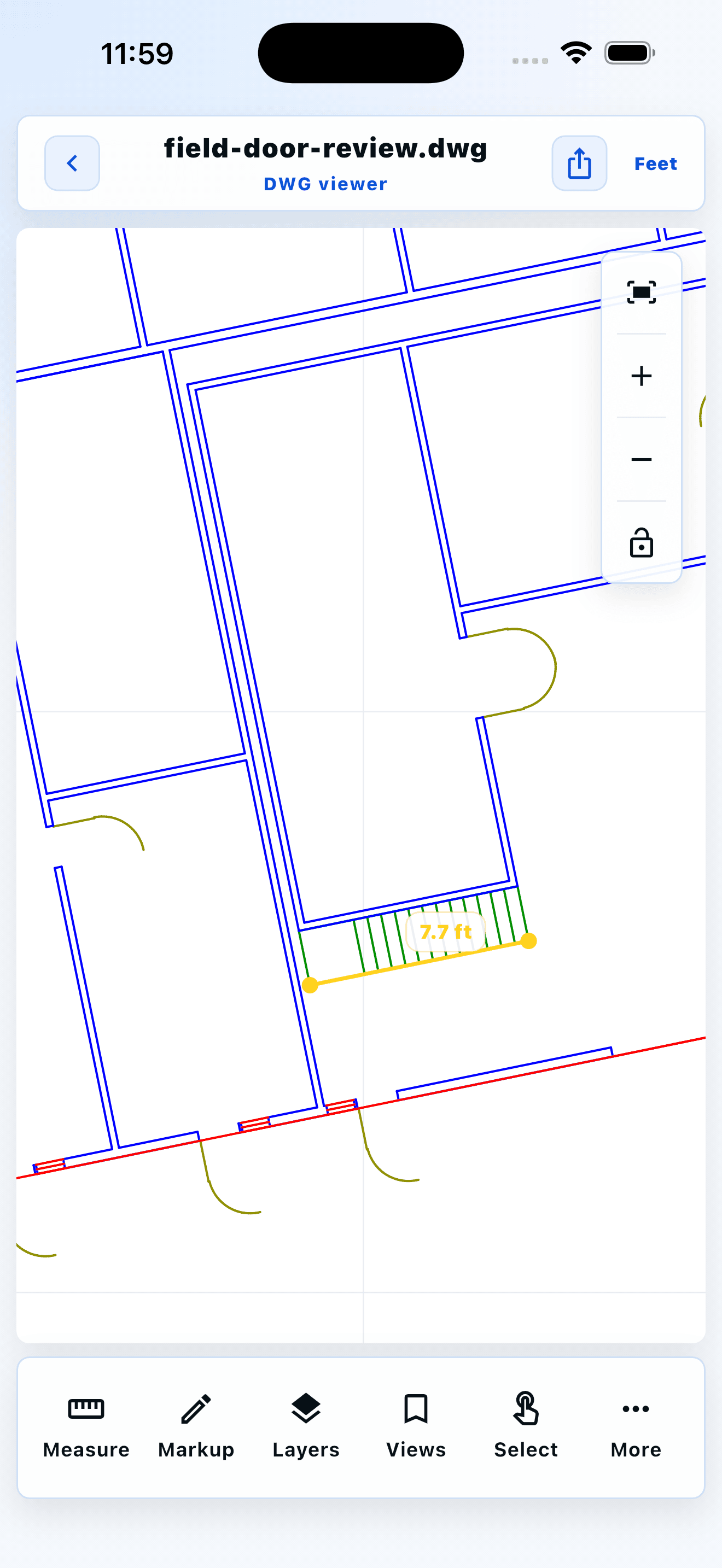 Measure a stair run on site
Field-review workflow
From drawing to clear feedback.
- 01Open the Caddis web viewer.
- 02Select a DXF file from your device.
- 03Use layers, measurement, and markup tools to review the drawing.
Built for practical review
Your drawings stay under your control
Caddis is local-first: opening a supported file for local review does not require uploading it. If you choose Caddis Cloud, you can continue a project across devices or create a revocable, read-only link.
Frequently asked questions
Do I need an account to use Caddis?
No. You can open and review supported files locally without creating an account. An account is only needed for optional cloud features.
Are my CAD files uploaded?
Not for local viewing. Caddis processes supported files on your device. Cloud storage and share links are opt-in per project.
Can I use Caddis offline?
Local review is designed to work on your device. Cloud sync and share links naturally require an internet connection.
Which CAD formats can Caddis open?
Caddis opens supported geometry from DWG, ASCII DXF, STL, OBJ, PLY, STEP/STP, and IFC files. DWG, STEP/STP, and IFC compatibility is limited by source version and geometry type; unsupported geometry is reported rather than silently replaced.
Explore Caddis tools
DWG viewerDXF viewerSTEP viewerSTL viewerOpen DWG without AutoCADDWG viewer for contractorsCAD markup in the fieldFree CAD converterDWG version checkerWhy won't my DWG open?Open DWG on a Mac